Notes:
- In order for a single receipt to be created for an opportunity,
- The donor's preference for Receipt Delivery must be "Single".
- The opportunity's Receipt Status must be one of the following:
- "Eligible"
- "Receipted"
- "Voided"
- If the opportunity's Receipt Status is "Eligible for Consolidated", a receipt can be created from
- The donor's record
- The tab Batch Receipts
- The related Recurring Donation record
- For a more detailed description of Receipt Status, see Receipt Status Definition.
To create a single receipt for a single opportunity
1. Go to the opportunity for which you want to create a receipt.
2. Click the button "New Receipt".
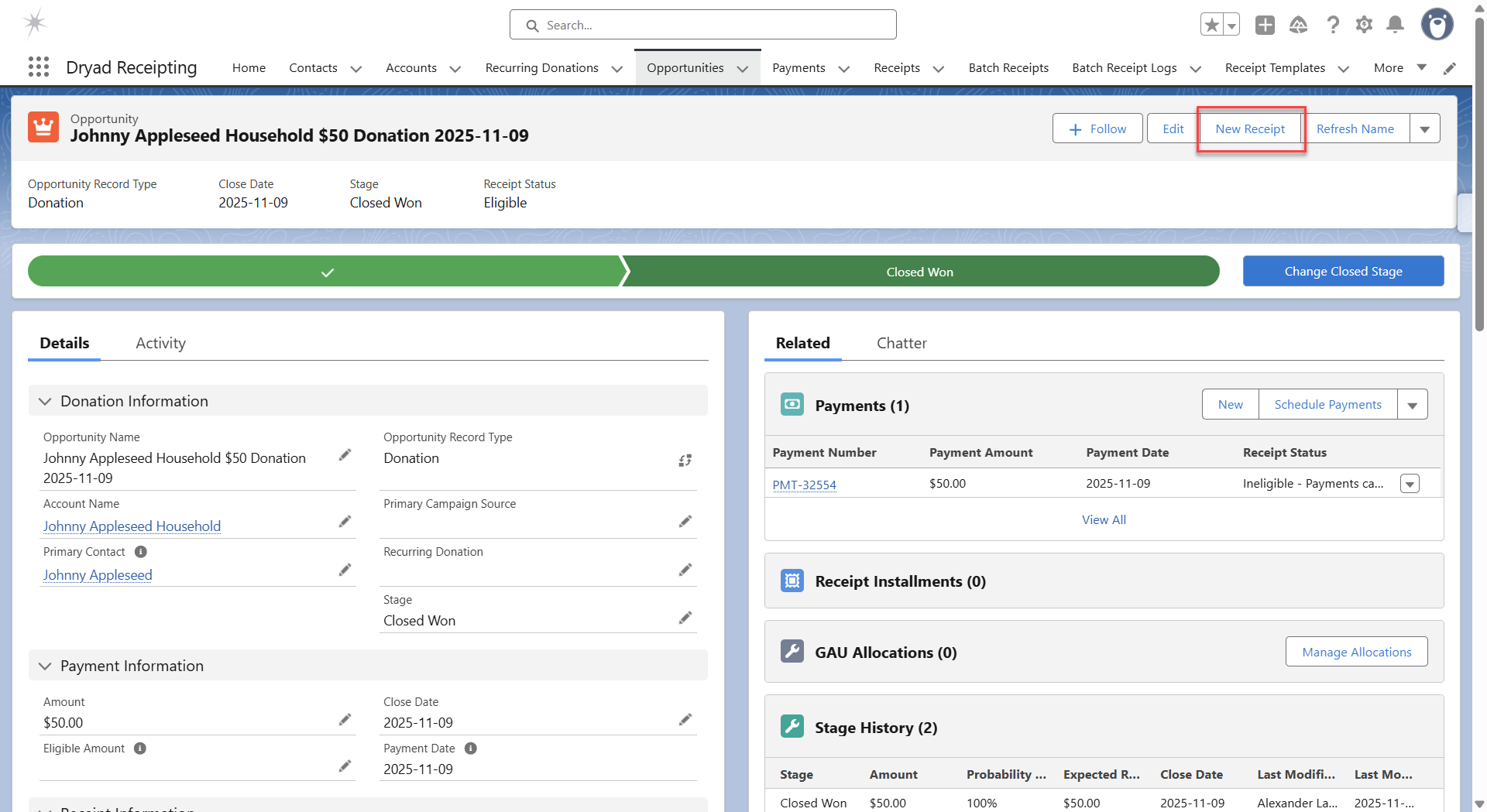
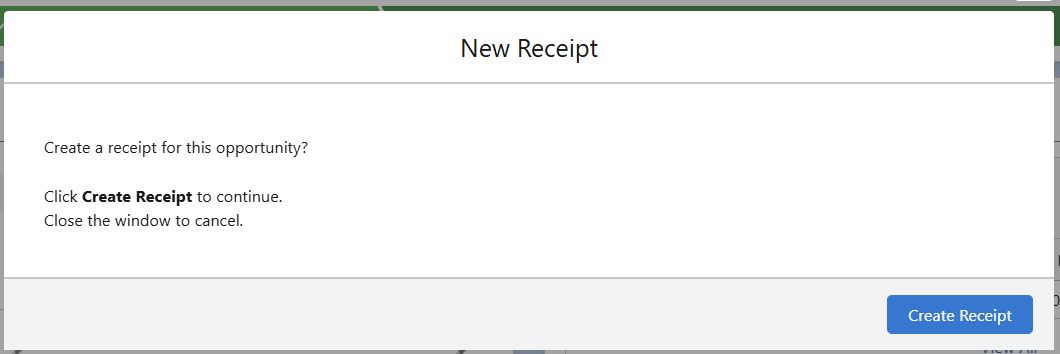
3. If the opportunity's Receipt Delivery is "Eligible" or "Voided"
a. A confirmation message is displayed.
b. Click "Create Receipt" to confirm the action.
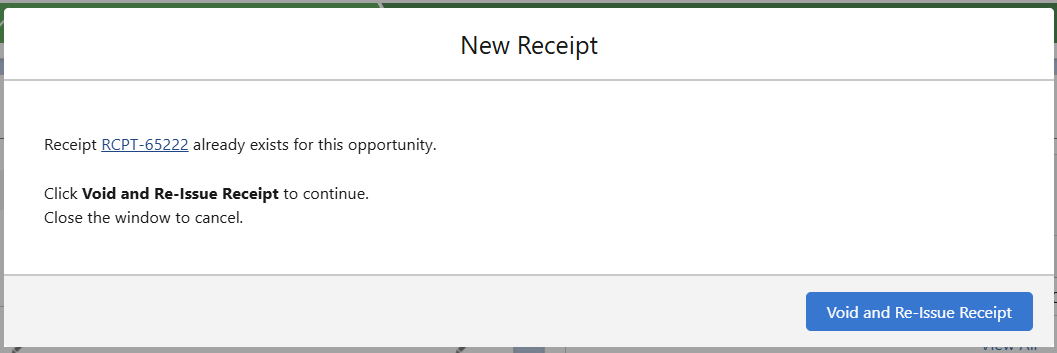
4. If the opportunity's Receipt Delivery is "Receipted"
a. A confirmation message is displayed to void the existing receipt and replace with a new receipt
b. Click "Void and Re-Issue Receipt" to confirm the action.
5. A success message is displayed.
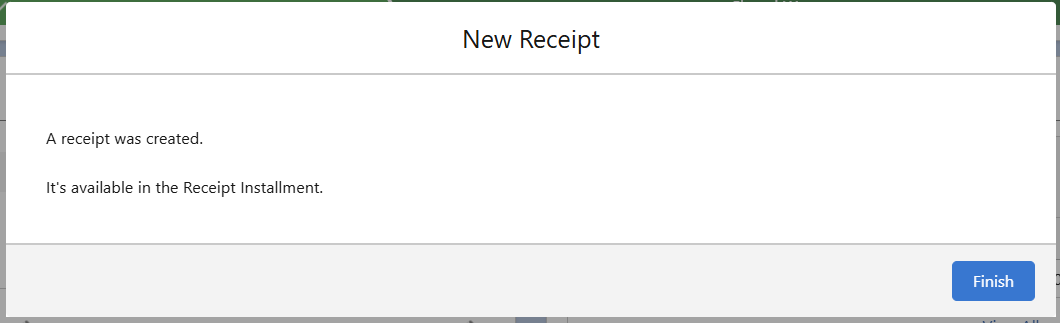
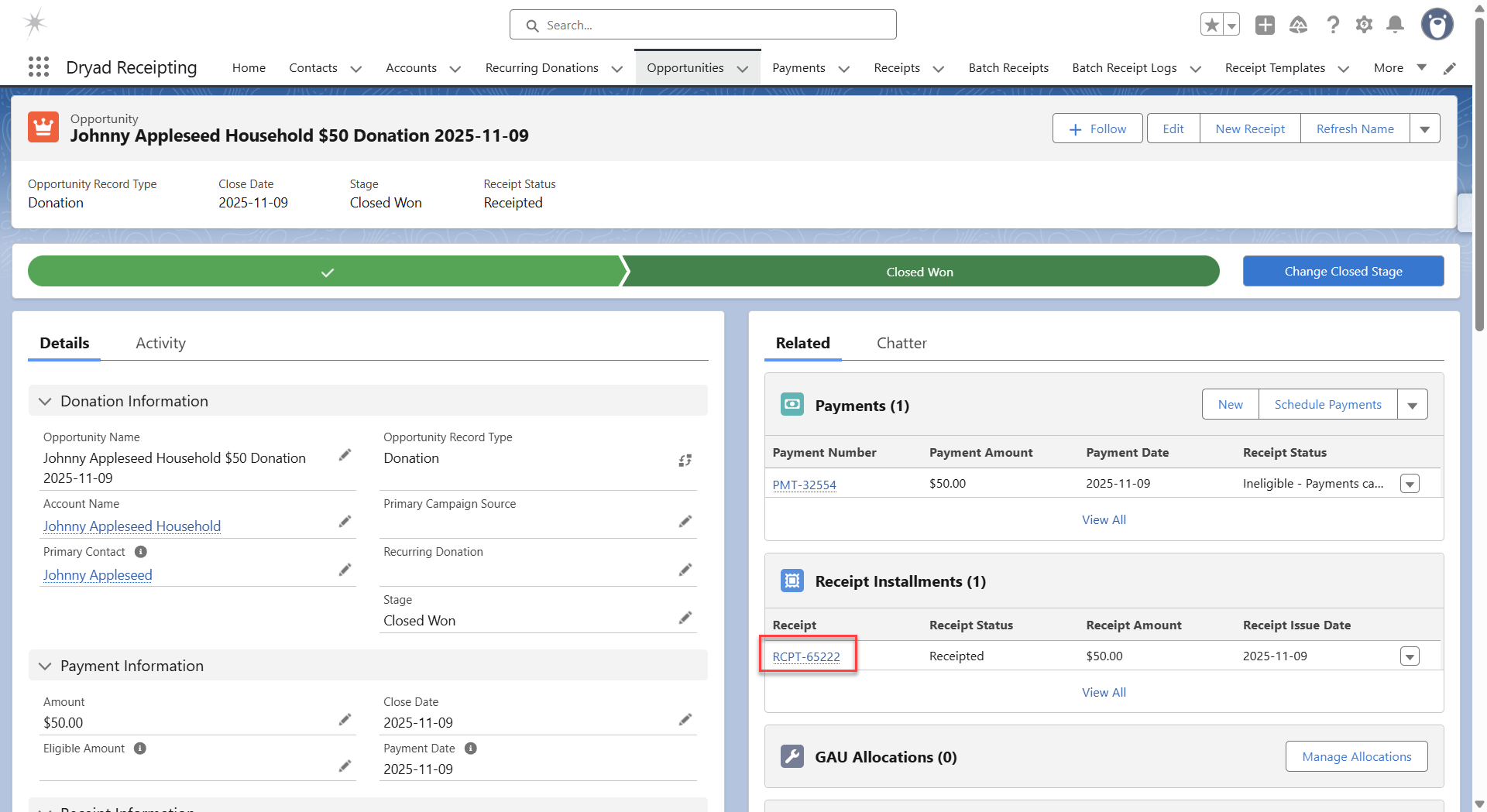
6. The receipt can be accessed from the Receipt Installment related list.
Was this article helpful?
That’s Great!
Thank you for your feedback
Sorry! We couldn't be helpful
Thank you for your feedback
Feedback sent
We appreciate your effort and will try to fix the article