Note: This feature allows you to merge multiple receipt .pdf files into a single .pdf. This allows for easier downloading and printing, before mailing the tax receipt to donors.
Note: This feature is only available in the Pro Edition of Dryad Receipting.
Note: In order to merge receipts, there must be one or more receipts with [Delivery Status] = "To be Printed".
Note: For more details about [Delivery Status], see Delivery Status Definition.
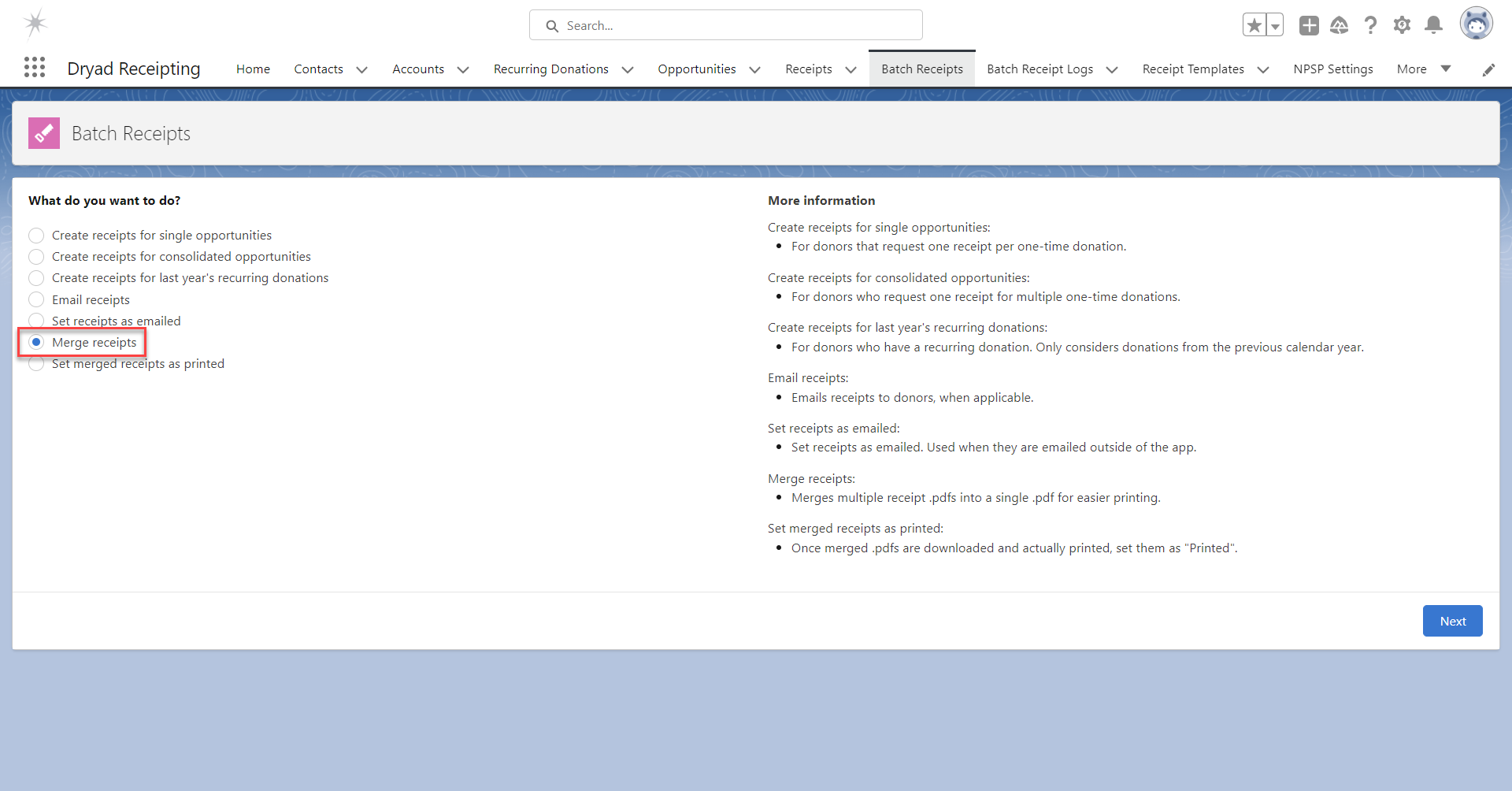
To merge receipts in batch, go to the tab "Batch Receipts".
Select "Merge receipts" and click "Next".
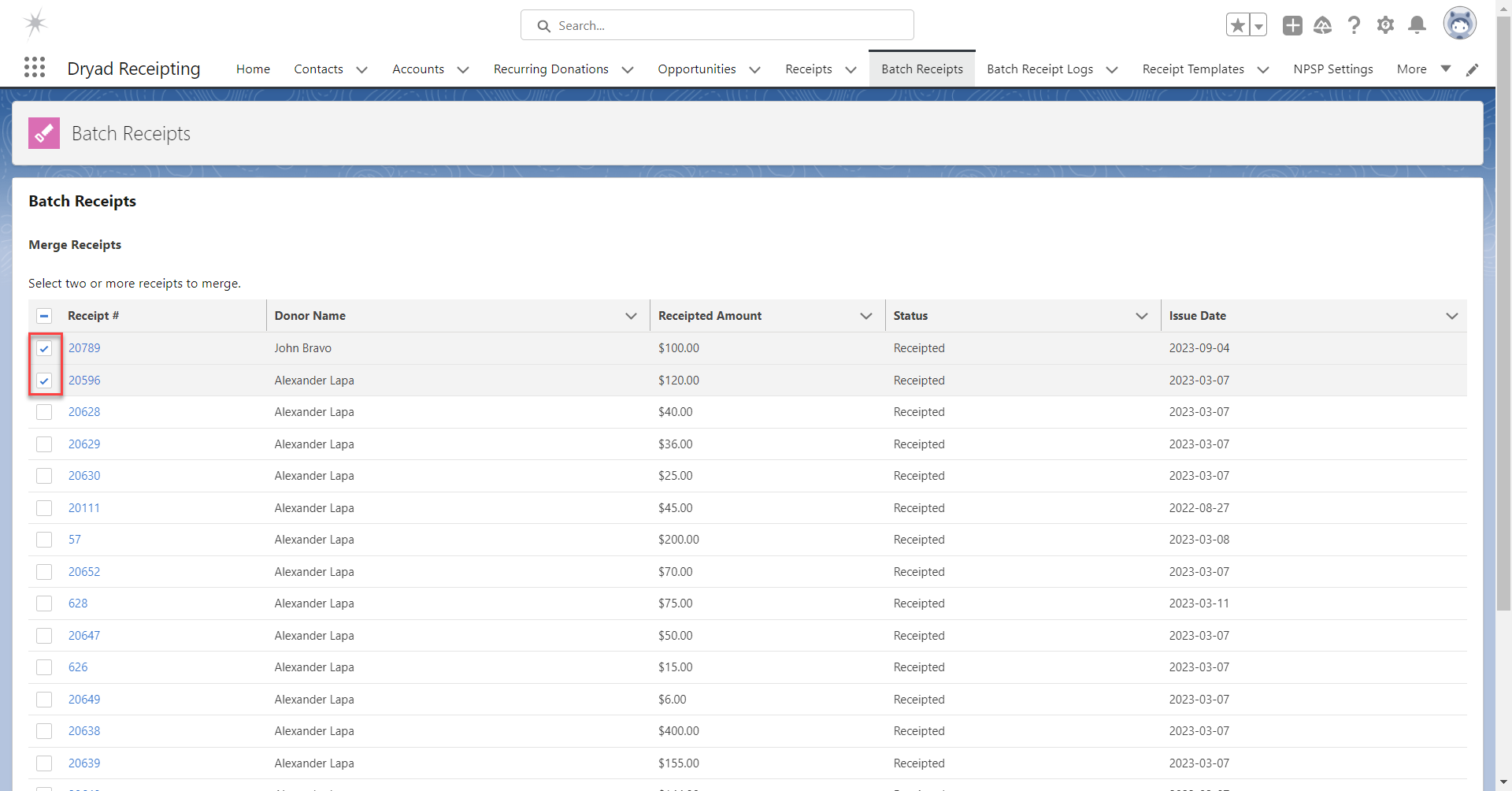
Select the desired receipts to merge and click "Next".
Note: If there are more than 100 available receipts, this page is not displayed. Instead, the number of available receipts is displayed and you can merge all receipts or none of them.
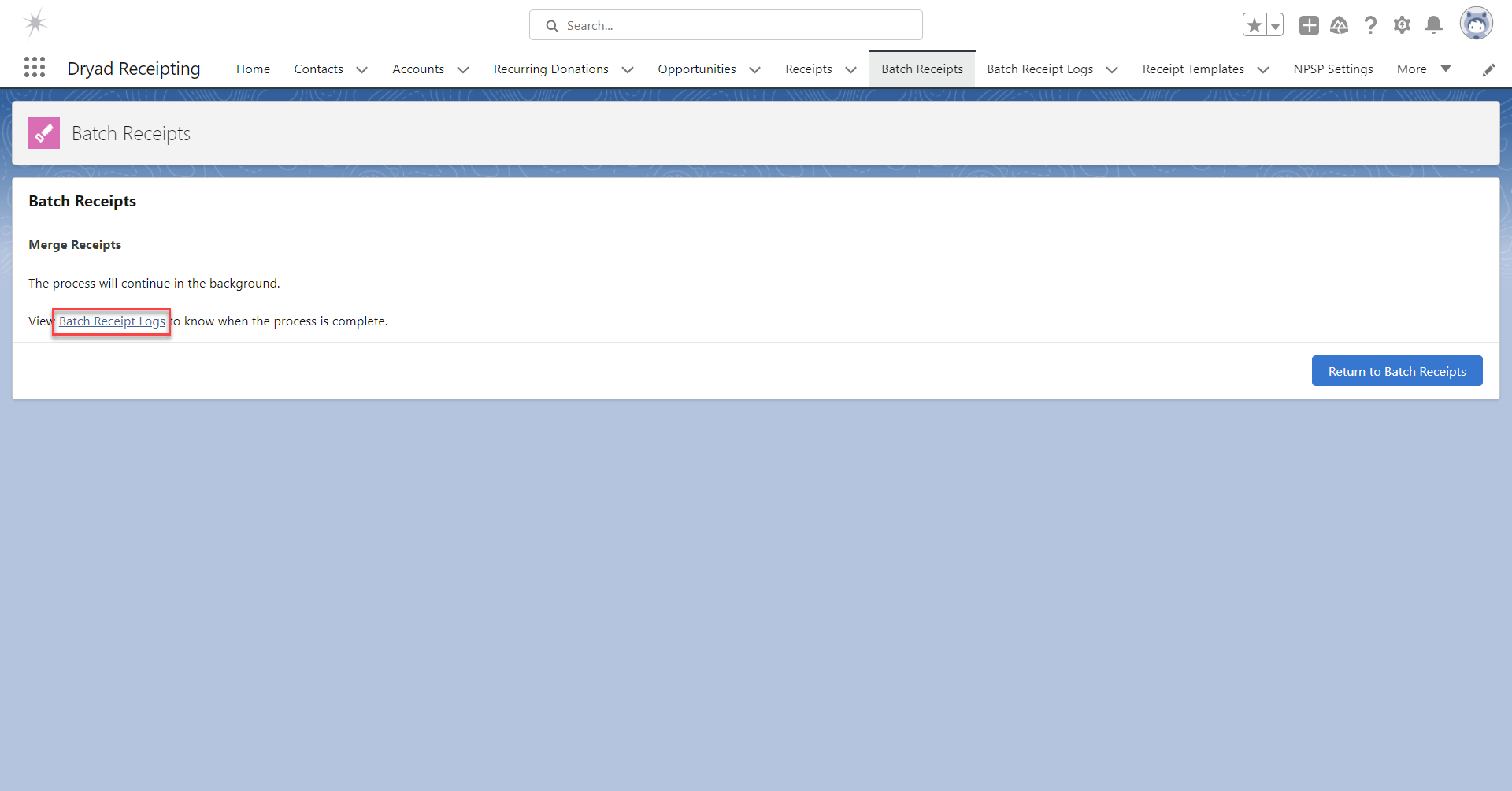
Allow the process to complete.
To view the progress and completion of the action, click the link "Batch Receipt Logs".
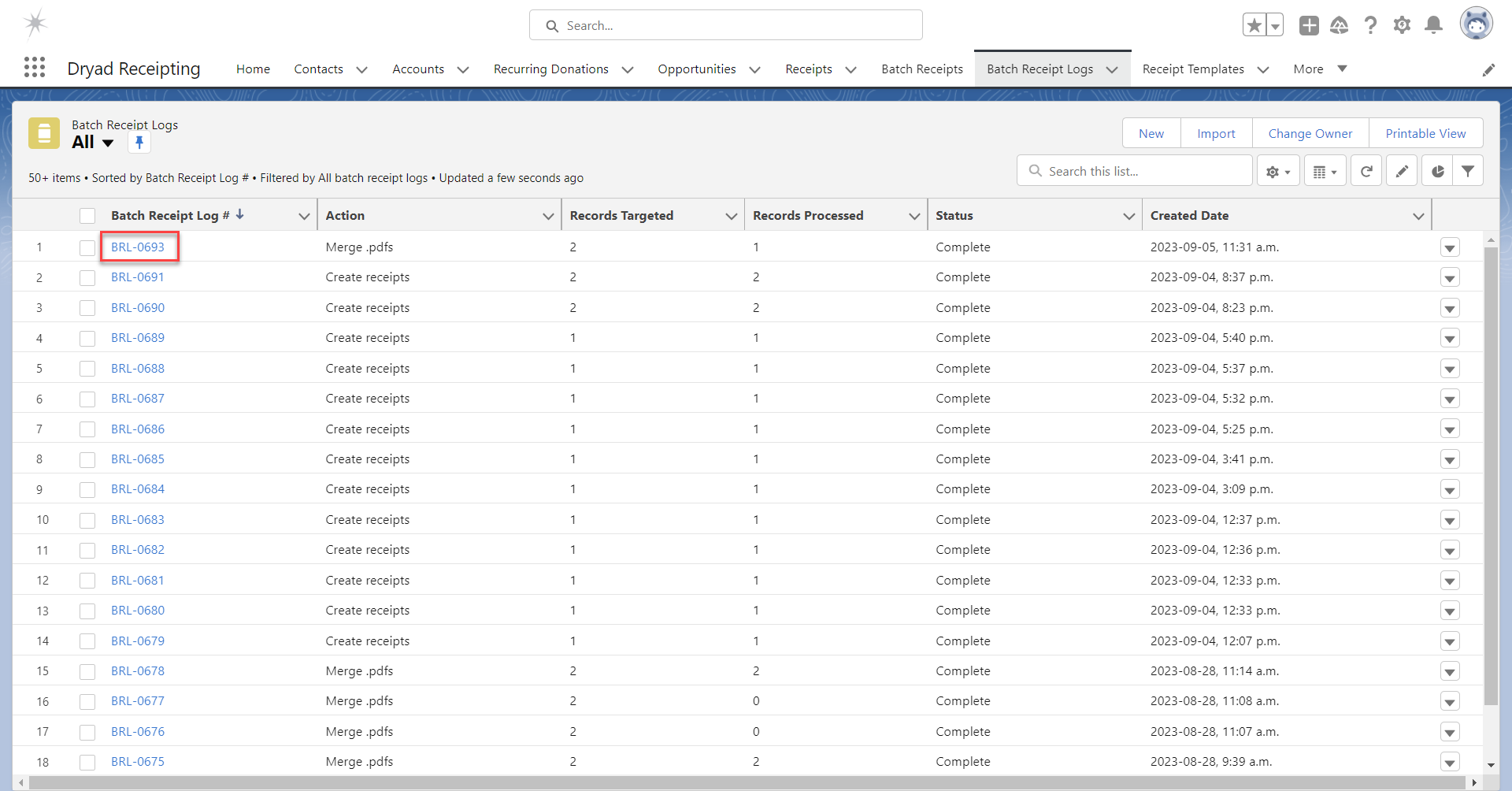
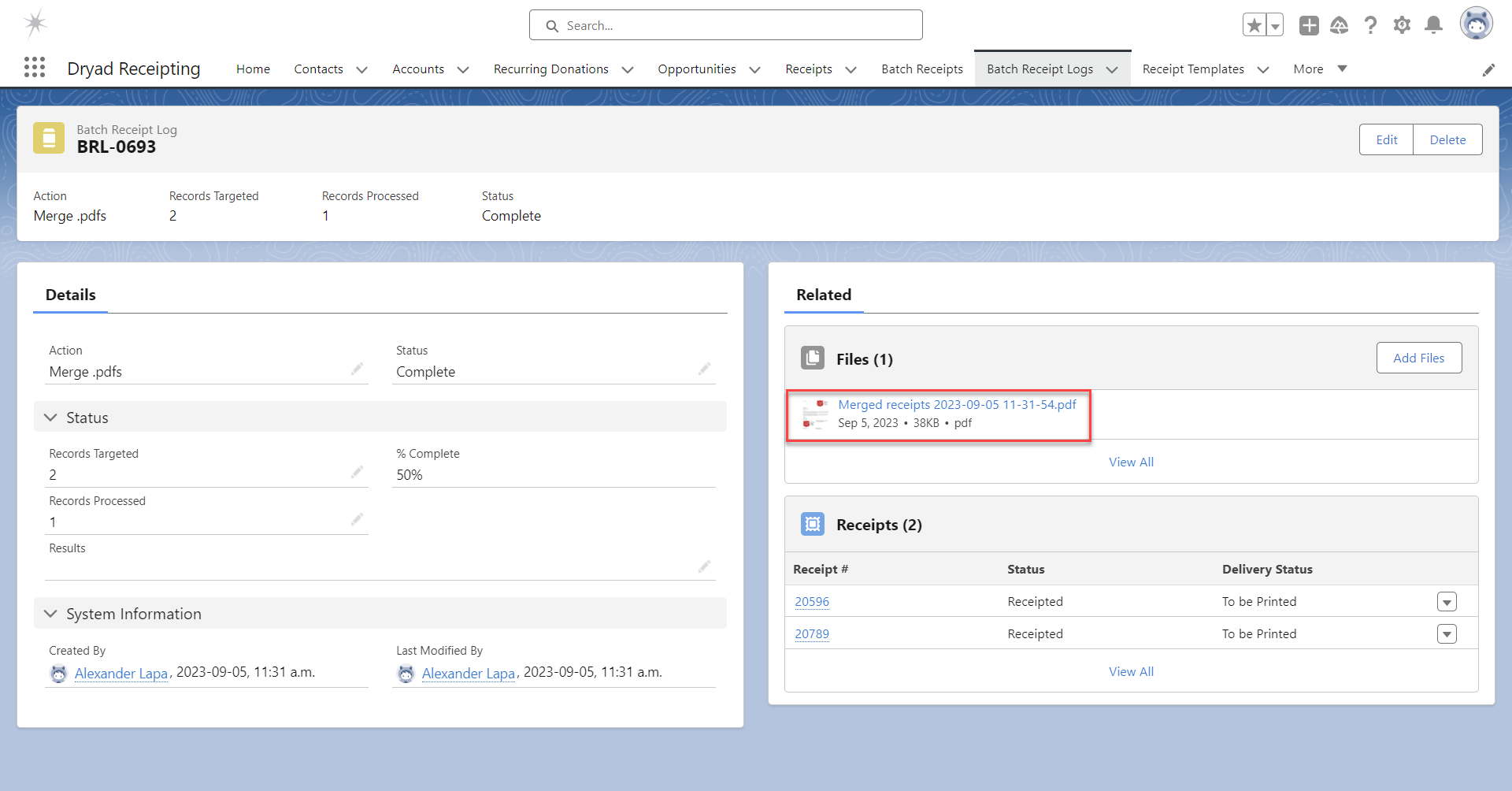
Click on the most recent Batch Receipt Log.
View and download the merged receipt in the Files related list.
Note: It's normal to see [Records Processed] = 1, since one file was created.
Was this article helpful?
That’s Great!
Thank you for your feedback
Sorry! We couldn't be helpful
Thank you for your feedback
Feedback sent
We appreciate your effort and will try to fix the article